

Drivers · EWD · Predictive Journey Planner
A smarter way to run your day.
OneRoad gives you a clean, NHVR-approved EWD — plus a Predictive Journey Planner that helps you plan rest, reduce surprises and stay compliant without the admin headache.
Download now on the App Store


 NHVR-approved EWD
 Built for Aussie drivers
 Inspection Privacy Mode
Why drivers switch to OneRoad
Better fatigue visibility, better planning and cleaner records.

Visual Fatigue Clock
Know your risk at a glance. Green means go, red means stop — no mental maths required.
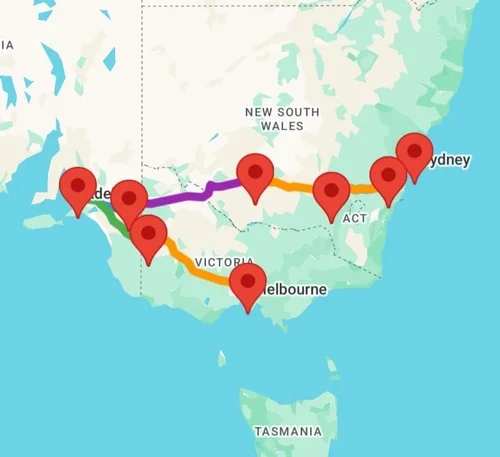
Predictive Journey Planner
Type in your destination. The planner builds legal rest stops into your route automatically.

Simple logging
Designed for drivers and bumpy roads. Switch between work and rest states in a single tap.
Download now on the App Store
Planning
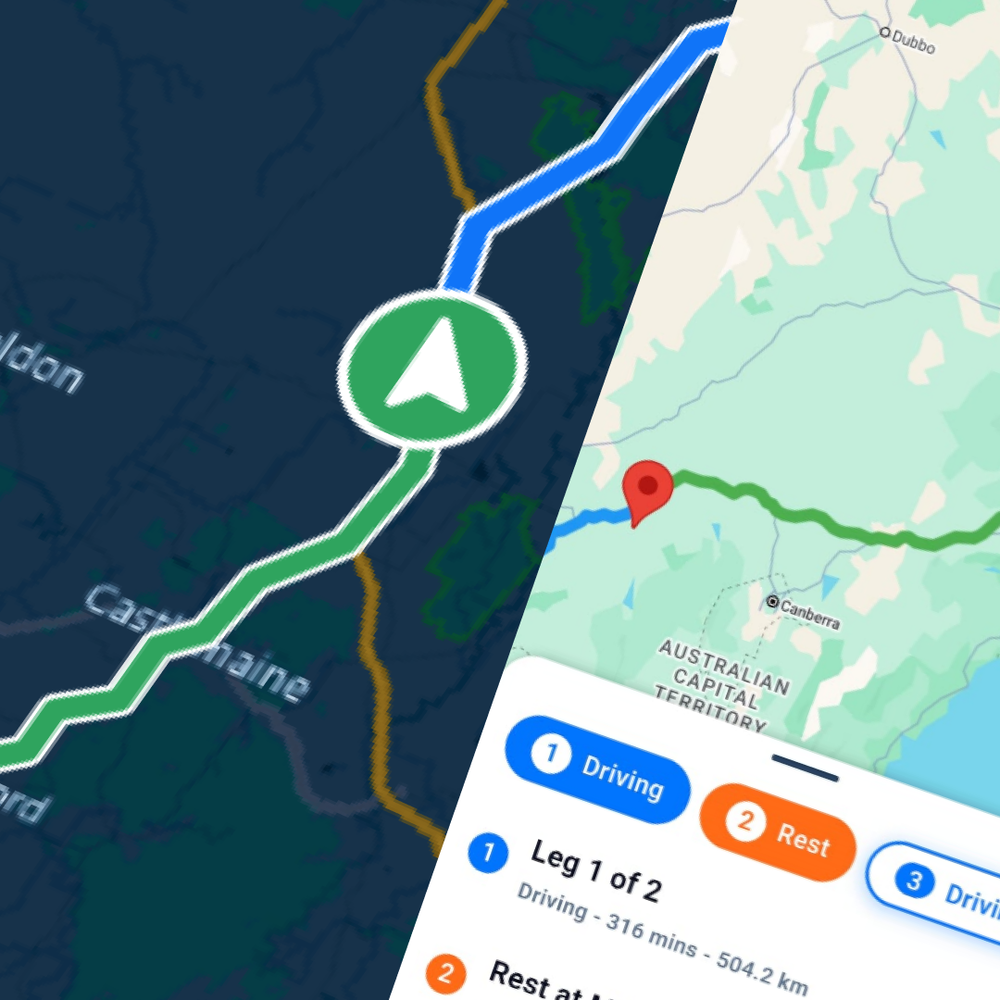
Plan breaks before breaches happen.
Other EWDs just record what you do. OneRoad helps you plan ahead — the Predictive Journey Planner calculates your fatigue limits and suggests legal rest stops along your route.
- Aligned with NHVR fatigue rules — every ruleset covered.
- Works across Australian roads — real routes, real rest stops.
- Peace of mind — so you can focus on the drive.
Download now on the App Store
Compliance
Know your risk in seconds.
The Visual Fatigue Clock uses simple colour codes to keep you compliant at a glance — no more counting hours on a calculator.
- Green — safe driving time
- Amber — approaching a break
- Red — breach risk, stop now
Not just another logbook app
How OneRoad compares with a typical EWD app.
| Feature | OneRoad | Typical apps |
|---|---|---|
| Predictive Journey Planner | Yes | No |
| Visual Fatigue Clock | Yes | No |
| NHVR-approved | Yes | Sometimes |
| Inspection Privacy Mode | Yes | Rare |
| Cost | 14-day free trial | Upfront fees |
Driver FAQs
Do I need hardware?
No. OneRoad runs on your smartphone (BYOD) — just download it from the App Store or Google Play.
What happens if I lose signal?
OneRoad logs offline. As soon as coverage returns it syncs automatically, so you never lose records.
What is Inspection Privacy Mode?
It locks the screen so officers see only the legally required 28 days of records, keeping the rest of your personal data private.
Is the free trial really free?
Yes. Start free for 14 days — you're only charged if you choose to continue after the trial ends.
Owner operators
Want to claim Fuel Tax Credits?
If you own your truck you can automate your Fuel Tax Credit (FTC) claims by adding the optional OBx hardware unit — it tracks off-road usage to maximise your refund.
Start your 14-day free trial.
Join the Aussie drivers switching to the smarter EWD.
Download now on the App Store